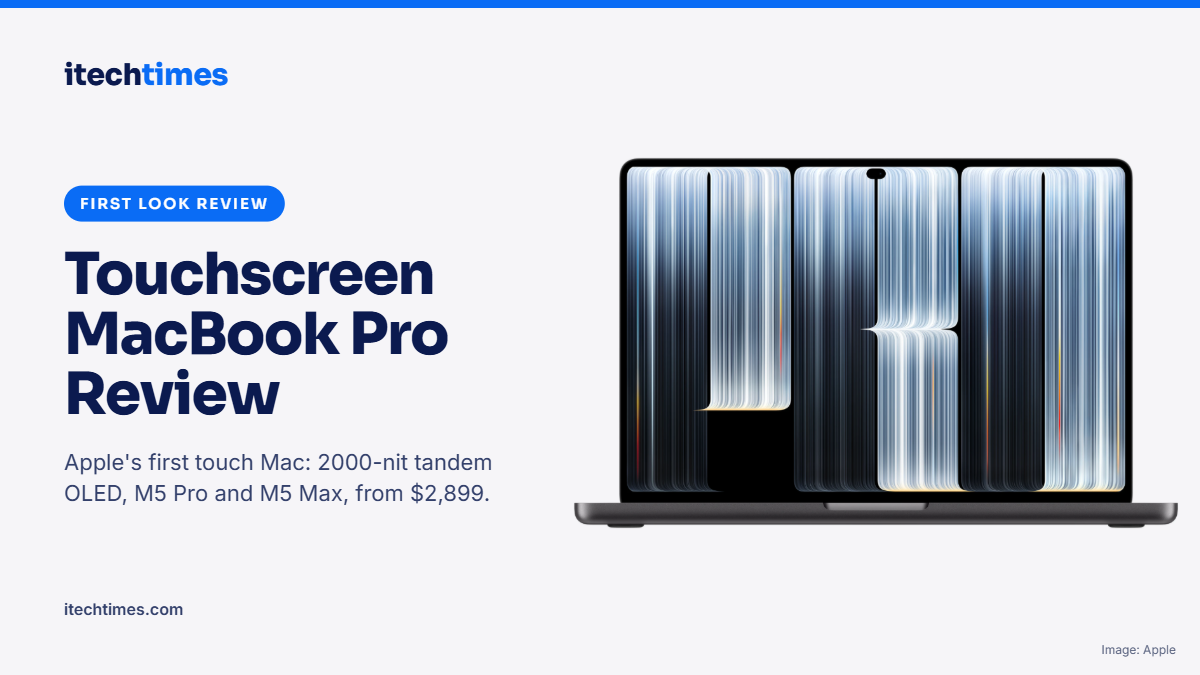
Sixteen years after Steve Jobs dismissed touchscreen laptops, Apple has built one. The MacBook Pro with PROLED XDR Display pairs a 2000-nit tandem OLED touch panel with M5 Pro and M5 Max chips. Here is everything it does, what it costs, and whether you should buy one.
By [Author name] | Published 2 November 2026 | Updated 2 November 2026 | 9 min read
Key takeaways
- Apple announced the MacBook Pro with PROLED XDR Display on 28 October 2026. It is the first Mac with a touchscreen and arrives on 6 November 2026.
- Prices start at $2,899 (14-inch) and $3,399 (16-inch) in the US, and A$4,599 and A$5,499 in Australia.
- The tandem OLED display reaches 2000 nits peak brightness with a 10,000,000:1 contrast ratio and 10 to 120Hz ProMotion.
- It runs M5 Pro and M5 Max chips, up to 128GB memory, up to 16TB storage and up to 24 hours of battery life.
- It is lighter than before: 3 lb for the 14-inch and 4 lb for the 16-inch. The notch is gone, replaced by a Dynamic Island.
- Our first-look verdict: the best laptop display Apple has made, but touch is a bonus, not a reason to upgrade on its own.
Does Apple make a touchscreen MacBook? Yes, as of 28 October 2026. The MacBook Pro with PROLED XDR Display is Apple’s first touchscreen Mac, available in 14-inch and 16-inch sizes from $2,899. It goes on sale on 6 November 2026, and it keeps the trackpad and keyboard, so touch is an extra way to work rather than a replacement.
What is the MacBook Pro with PROLED XDR Display?
It is a new top tier of MacBook Pro, sold alongside the existing models with the Liquid Retina XDR (mini-LED) screen. Apple did not give it a new name such as “MacBook Ultra”, despite months of rumours. Apple’s chief hardware officer Johny Srouji called PROLED XDR the world’s best laptop display.
The launch is a sharp turn in Apple’s thinking. In 2010, Steve Jobs said touchscreen laptops do not work, because holding your arm up to a vertical screen is tiring. Apple’s answer in 2026 is to make touch optional and to keep the trackpad as the main way to control macOS.
How does touch work on the new MacBook Pro?
The touch sensor is built directly into the OLED panel, so Apple says there is no added latency. Supported gestures include:
- Swiping to scroll
- Pinching to zoom
- Dragging and dropping, for example slides or video clips on a timeline
- Double-tapping a window to fill the screen
macOS 27 translates taps into clicks, so most existing apps work with touch on day one. Apple has named Notion, Canva, Zoom, Microsoft Office and Adobe Lightroom among apps adding deeper touch support. A redesigned hinge keeps the screen steady when you press it, and video stabilisation keeps your camera feed smooth if you touch the screen during a video call.
There is no Apple Pencil support, and macOS does not turn into iPadOS. This is a Mac you can touch, not a tablet with a keyboard.
What are the display specs?
The PROLED XDR is a tandem OLED, the same two-layer technology Apple uses in the iPad Pro.
- Sizes: 14.2-inch (3024 x 1986) and 16.3-inch (3472 x 2266), both at 254 pixels per inch
- Brightness: 1000 nits sustained, 2000 nits peak for both HDR and SDR content
- Contrast: 10,000,000:1
- Refresh rate: ProMotion from 10Hz to 120Hz
- Colour: P3 and Adobe RGB, with more than 80% Rec. 2020 coverage
- Finish: antireflective coating as standard, nano-texture glass optional
The notch is gone. In its place is a small Dynamic Island, borrowed from the iPhone, which houses Spotlight, Live Activities and Siri.
What chips and performance does it offer?
The PROLED models use the M5 Pro and M5 Max, not the M6 Pro and M6 Max that many expected. The M6 chip appears only in the standard 14-inch MacBook Pro.
- M5 Pro: up to 18-core CPU and 20-core GPU, up to 64GB memory, 307GB/s memory bandwidth
- M5 Max: 18-core CPU with a 32-core or 40-core GPU, up to 128GB memory, up to 614GB/s memory bandwidth
- Storage: 1TB to 4TB on M5 Pro, and 2TB to 16TB on M5 Max. 16TB is a first for any Mac laptop.
- External displays: up to three with M5 Pro and up to four with M5 Max
How long does the battery last?
Apple quotes up to 24 hours of video streaming on the 16-inch M5 Pro and up to 22 hours on the 14-inch M5 Pro. For wireless web browsing, it quotes 14 to 17 hours depending on model. Batteries are 72.6Wh (14-inch) and 100Wh (16-inch), and fast charging reaches 50% in about 30 minutes.
What about design, ports and audio?
The new models are noticeably lighter. The 14-inch weighs 3 lb (1.38kg), half a pound less than before, and the 16-inch weighs 4 lb (1.82kg), 0.7 lb less. Thickness is 15mm and 16mm respectively. Colours are Space Black and Silver, and the Apple logo on the lid now glows, a first on a Mac laptop in about a decade.
The port selection is generous: three Thunderbolt 5 ports, HDMI, an SDXC card slot, MagSafe 3 and a headphone jack. Wi-Fi 7 and Bluetooth 6 come via Apple’s N1 chip. A six-speaker system promises 50% deeper bass, and the 12MP Center Stage camera supports Desk View.
How much does the touchscreen MacBook Pro cost?
| Model | US price | Education (US) | Australia |
|---|---|---|---|
| 14-inch, M5 Pro (24GB, 1TB) | $2,899 | $2,749 | A$4,599 |
| 16-inch, M5 Pro (24GB, 1TB) | $3,399 | $3,199 | A$5,499 |
| 14-inch, M5 Max (36GB, 2TB) | $4,499 | $4,199 | A$6,999 |
| 16-inch, M5 Max (36GB, 2TB) | $4,799 | $4,499 | A$7,699 |
Upgrades add up quickly. In Australia, the 16TB storage option alone costs A$10,500, and a fully loaded 16-inch reaches A$22,424.
When is the release date?
Pre-orders opened on 28 October 2026. The MacBook Pro with PROLED XDR Display arrives in stores and with customers on Friday, 6 November 2026.
Review: is the touchscreen MacBook Pro worth it?
This is a first-look review based on Apple’s official specifications and early hands-on reports from the launch event. We will update it with full test results once we have a review unit.
For most buyers, the display is the real story, not touch. Early hands-on testers describe the tandem OLED as bright, sharp off-angle and remarkably deep in its blacks. Touch, by contrast, is described as smooth and well judged, but more of a welcome bonus than a reason to buy on its own.
What we like
- The best screen on any MacBook: 2000 nits peak in both HDR and SDR, a 10,000,000:1 contrast ratio and Adobe RGB support make this a serious tool for photographers, colourists and video editors.
- Touch that stays out of the way: it works in existing apps from day one, and Apple has not compromised the trackpad or keyboard to make room for it.
- No more notch: the Dynamic Island takes up less space and does more.
- Lighter and more portable: at 3 lb, the 14-inch is now a realistic everyday carry for a pro machine.
- Excellent battery and ports: up to 24 hours of video playback, plus HDMI, SD card and three Thunderbolt 5 ports, means fewer dongles.
What gives us pause
- The price: at $2,899 to start, it costs significantly more than the standard M6 MacBook Pro at $1,999.
- No M6 Pro or M6 Max: buyers paying a premium get last-generation M5 chips, while the cheaper model gets the newer M6.
- No Apple Pencil support: creatives who sketch or annotate will still need an iPad.
- Touch ergonomics: reaching up to a laptop screen for long sessions is still tiring, the problem Jobs raised in 2010. Touch suits quick actions better than all-day use.
- App support is still growing: deeper touch features depend on developers updating their apps.
Who should buy it, and who should wait?
Buy it if you are a photographer, video editor or designer who needs the most accurate, brightest laptop display available, or you want the lightest possible pro MacBook with an M5 Max.
Consider the standard MacBook Pro if you mainly write code, run business apps or browse. The M6 model at $1,999 offers a newer chip for $900 less.
Wait if touch is your main reason to upgrade. Apps will mature over the coming months, and M6 Pro and M6 Max versions may follow in a future update.
iTechTimes first-look verdict
The MacBook Pro with PROLED XDR Display is Apple’s most impressive laptop screen yet, wrapped in a lighter, more capable body. Touch is thoughtfully done, but it is the display, battery and portability that justify the price. For creative professionals, it is the new benchmark. For everyone else, the standard MacBook Pro remains the smarter buy.
Touchscreen MacBook Pro vs standard MacBook Pro
| PROLED XDR (touch) | Liquid Retina XDR (standard) | |
|---|---|---|
| Display | Tandem OLED with touch | Mini-LED, no touch |
| Peak brightness | 2000 nits HDR and SDR | 1600 nits HDR, 1000 nits SDR |
| Colour gamut | P3 and Adobe RGB | P3 |
| Top of screen | Dynamic Island | Notch |
| Chips | M5 Pro, M5 Max | M6 (new 14-inch model) |
| Weight (14-inch) | 3.0 lb (1.38kg) | 3.4 lb (M6 model) |
| Camera | 12MP Center Stage with video stabilisation | 12MP Center Stage |
| Starting price (US) | $2,899 | $1,999 (M6 14-inch) |
Sources for both tables are listed below. Specs for the standard model are from launch-day coverage and may vary by configuration.
Frequently asked questions
Is there a touchscreen MacBook? Yes. The MacBook Pro with PROLED XDR Display, announced on 28 October 2026, is the first Mac with a touchscreen. It comes in 14-inch and 16-inch sizes.
When is the touchscreen MacBook Pro release date? Pre-orders opened on 28 October 2026, and it arrives in stores and with customers on 6 November 2026.
How much is the touchscreen MacBook Pro? It starts at $2,899 for the 14-inch and $3,399 for the 16-inch in the US. In Australia, prices start at A$4,599 and A$5,499.
Does the touchscreen MacBook Pro support Apple Pencil? No. Touch works with your fingers only. For Apple Pencil, you still need an iPad.
Which chip does the touchscreen MacBook Pro use? It uses the M5 Pro or M5 Max, with up to 128GB of unified memory and up to 16TB of storage.
Is the touchscreen MacBook Pro worth buying? It is worth it for creative professionals who need the best display. For general work, the standard M6 MacBook Pro offers better value at $1,999.