The Optimizely supply-chain attack loaded two iPhone exploit kits, Coruna and DarkSword, on visitors to sites like Zoom, the BBC and CNN. Here is how to check your iOS version and update in a few minutes so your iPhone or iPad is protected.
Last updated: 17 November 2026
Key takeaways
- On 16 November 2026, malicious code served through Optimizely loaded the Coruna and DarkSword exploit kits on iPhones and iPads that visited affected sites.
- Coruna targets iOS 13 to 17. DarkSword targets iOS 18.
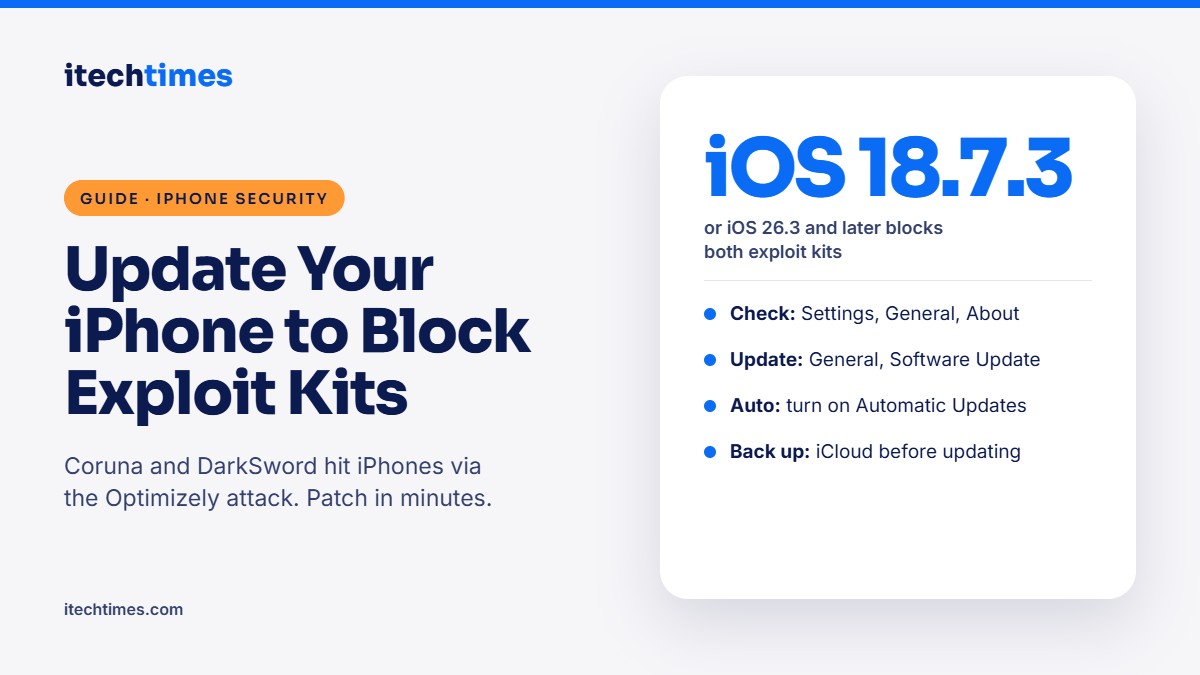
- You are protected on iOS 18.7.3, iOS 26.3 or later.
- Checking your version takes 30 seconds: Settings, General, About.
- Turn on automatic updates so future fixes install on their own.
Which iOS version protects against Coruna and DarkSword? According to security firm Report URI, which uncovered the Optimizely attack, iOS 18.7.3 and iOS 26.3 and later are patched against both exploit kits. If your iPhone or iPad runs an older version, update it now.
What are Coruna and DarkSword?
They are exploit kits: ready-made bundles of code that abuse security flaws in iOS to attack a device, often just by loading a web page. In the Optimizely attack, the malicious script loaded them inside a hidden frame on iPhones and iPads, so users would not have seen anything unusual.
| Exploit kit | iOS versions targeted | Protected from |
|---|---|---|
| Coruna | iOS 13 to iOS 17 | iOS 18.7.3, iOS 26.3 or later |
| DarkSword | iOS 18.x | iOS 18.7.3, iOS 26.3 or later |
How to check your iOS version
- Open the Settings app.
- Tap General.
- Tap About.
- Look at the iOS Version line. If it shows 18.7.3, 26.3 or a higher number, you are protected against these two kits.
How to update your iPhone or iPad: step by step
- Back up first. Go to Settings, tap your name, then iCloud, then iCloud Backup, and tap Back Up Now.
- Connect to Wi-Fi and charge. Plug in your phone or make sure the battery is above 50%.
- Open Settings, then General, then Software Update.
- Tap Update Now (or Download and Install) for the latest version shown, and enter your passcode.
- Wait for the restart. Your iPhone will restart on its own. This usually takes 10 to 30 minutes.
- Check again. Go back to Settings, General, About and confirm the new version number.
Turn on automatic updates
Go to Settings, General, Software Update, Automatic Updates and switch on both Security Responses and System Files and iOS Updates. Your iPhone will then install important security fixes overnight while charging.
What if my iPhone cannot update?
If Software Update says your iPhone is up to date but the version is still older than iOS 18.7.3, your device may not support the latest iOS releases. Older devices may stop getting fixes for newer flaws like these. Until you can upgrade:
- Avoid entering card details or crypto wallet addresses on that device.
- Use a newer phone or a computer for banking and payments.
- Keep apps updated through the App Store, and delete apps you no longer use.
Did you visit an affected site on 16 November?
- Update your device now using the steps above.
- Check any crypto transfer you made that day. The malware swapped wallet addresses with the attacker’s.
- Watch your card statements if you paid on an affected site, and block your card in your bank app if you spot unknown charges.
- Report fraud to the cyber fraud helpline 1930 or at cybercrime.gov.in.
Frequently asked questions
How do I know if my iPhone was hacked?
Exploit kits are designed to be invisible, so there may be no obvious signs. Updating to iOS 18.7.3, iOS 26.3 or later closes the flaws these kits use. If you notice strange behaviour, back up your data and contact Apple Support.
Do I need to update if I did not visit Zoom, BBC or CNN?
Yes. Updates fix many security flaws, not just these, and the same exploit kits can be used on other websites.
Is updating my iPhone free?
Yes. iOS updates are free from Apple. Never pay or install an “update” from a website, SMS or WhatsApp link.
Will updating delete my photos or WhatsApp chats?
No. Updates keep your data, but backing up first is always a good idea.
Do Android phones need to worry about Coruna and DarkSword?
No, these kits target iPhones and iPads. Android users should still install the latest security updates from Settings, System, Software update.
Sources
- World’s largest brands infected with malware via Optimizely, Report URI
- OPTIMJACK: poisoned Optimizely scripts hit 178 brands, MATT Research
- Update your iPhone or iPad, Apple Support