Loan offers, credit card pitches and fake KYC calls can feel endless. This guide shows how to block spam calls and SMS in India using DND, 1909 and your phone’s own settings, and where to report the calls that are actually scams.
Last updated: 17 November 2026
Key takeaways
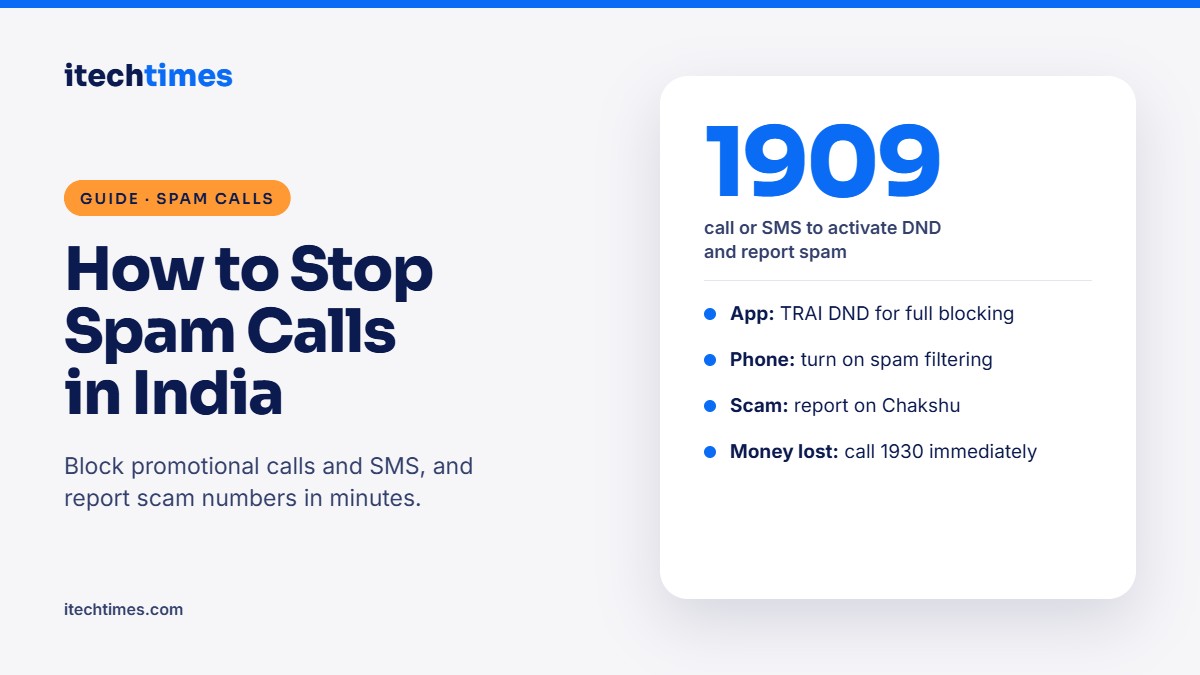
- Activating DND (Do Not Disturb) is free and blocks promotional calls and SMS from registered telemarketers.
- You can activate DND through the TRAI DND app, your telecom operator’s app or website, or by calling or sending an SMS to 1909.
- If spam still reaches you after DND, complain through the same channels so the sender can be acted on.
- Report suspected fraud calls, SMS and WhatsApp messages on Chakshu on the Sanchar Saathi portal.
- If you have already lost money, call 1930 immediately or file a complaint at cybercrime.gov.in.
How do I stop spam calls in India? Turn on DND using the TRAI DND app or by calling 1909, then switch on spam filtering in your phone’s calling app. DND blocks registered telemarketers, while your phone’s filter catches many unregistered spam numbers. Report scam calls on Chakshu, and call 1930 if money is involved.
Which channel should you use?
| Problem | What to do | Where |
|---|---|---|
| Promotional calls and SMS | Activate DND (full or by category) | TRAI DND app, operator app, or call/SMS 1909 |
| Spam continues after DND | File a spam (UCC) complaint | TRAI DND app or call/SMS 1909 |
| Suspected fraud call, SMS or WhatsApp | Report the number | Chakshu on sancharsaathi.gov.in |
| Money already lost | Report immediately | Call 1930 or cybercrime.gov.in |
Step 1: Activate DND
Option A: TRAI DND app (easiest)
- Download the official TRAI DND app from the Google Play Store or Apple App Store.
- Register with your mobile number and verify it with the OTP.
- Choose Full DND to block all promotional communication, or pick the categories you want to block, such as banking, real estate, education, health and tourism.
- Save your preferences. You will get a confirmation SMS.
Option B: Call or SMS 1909
- Call 1909 from the number you want to protect and follow the voice instructions to choose full or category-wise blocking.
- Or send an SMS to 1909 as per your operator’s instructions to start DND.
- Wait for the confirmation message.
Option C: Your operator’s app or website
Open the MyJio, Airtel Thanks or Vi app, find the DND or “Do Not Disturb” setting, and choose your preferences. DND registration is free on all operators.
DND only stops promotional messages. You will still receive transactional messages such as bank OTPs and account alerts.
Step 2: Turn on spam blocking on your phone
On Android (Google Phone app)
- Open the Phone app and tap the three-dot menu, then Settings.
- Tap Caller ID and spam (or Spam and Call Screen) and switch on spam filtering.
- To block a number, open Recents, long-press the number and tap Block / report spam.
Samsung, Xiaomi and other brands have similar options in their own phone apps, usually under call settings or block numbers.
On iPhone
- Open Settings, then Phone (under Apps on newer iOS versions).
- Switch on Silence Unknown Callers to send calls from numbers not in your contacts to voicemail.
- To block a number, open the Phone app, tap the i next to the call in Recents, and tap Block this Caller.
Step 3: Complain if spam continues
If a telemarketer still calls or texts after DND, file an unsolicited commercial communication (UCC) complaint through the TRAI DND app or by calling or sending an SMS to 1909. Include the number, date and a short description. File it as soon as possible, ideally within 7 days, so action can be taken against the sender.
Step 4: Report scam calls on Chakshu
Some calls are not just annoying but fraudulent, such as fake KYC updates, electricity disconnection threats, courier scams or “digital arrest” calls. Report these on Chakshu:
- Go to sancharsaathi.gov.in or open the Sanchar Saathi app.
- Choose Chakshu: Report Suspected Fraud Communication.
- Select the medium (call, SMS or WhatsApp) and the category of fraud.
- Enter the number, date and time, and add a screenshot if you have one.
- Verify your own mobile number with an OTP and submit.
If you have shared bank details or lost money, call 1930 right away and file a complaint at cybercrime.gov.in. Then inform your bank.
Is DND actually working?
Yes, at scale. The Department of Telecommunications says more than 7.5 crore spam SMS and voice calls were blocked per day in December 2025. In April to June 2026, DND preferences helped block 1.48 billion promotional calls and 7.3 billion promotional SMS, according to TRAI data reported by Upstox. DND does not stop fraudsters using unregistered numbers, which is why phone-level filters and Chakshu reports matter too.
Frequently asked questions
Is DND free in India?
Yes. Registering for DND through the TRAI DND app, your operator or 1909 is free.
Will DND stop OTPs and bank alerts?
No. DND blocks promotional messages only. Transactional and service messages such as OTPs and account alerts still come through.
How long does DND take to start working?
DND usually takes effect within a few days of registration. You will get a confirmation SMS when it is active.
Why do I still get spam calls after DND?
DND blocks registered telemarketers. Calls from personal or unregistered numbers are not covered, so report them as UCC complaints and on Chakshu, and block them on your phone.
What is the difference between 1909 and 1930?
1909 is for DND registration and spam complaints. 1930 is the national cyber fraud helpline for reporting money lost to scams.
Does Chakshu help get my money back?
No. Chakshu is for reporting suspicious numbers so they can be blocked. To recover money, call 1930 and file a complaint at cybercrime.gov.in.
Sources
- TRAI DND registration notice (via ESAF Bank)
- Department of Telecommunications document on spam blocking, DoT
- DND blocked 1.48 billion promotional calls in Q1 FY27, Upstox
- Sanchar Saathi (Chakshu), Department of Telecommunications
- National Cyber Crime Reporting Portal