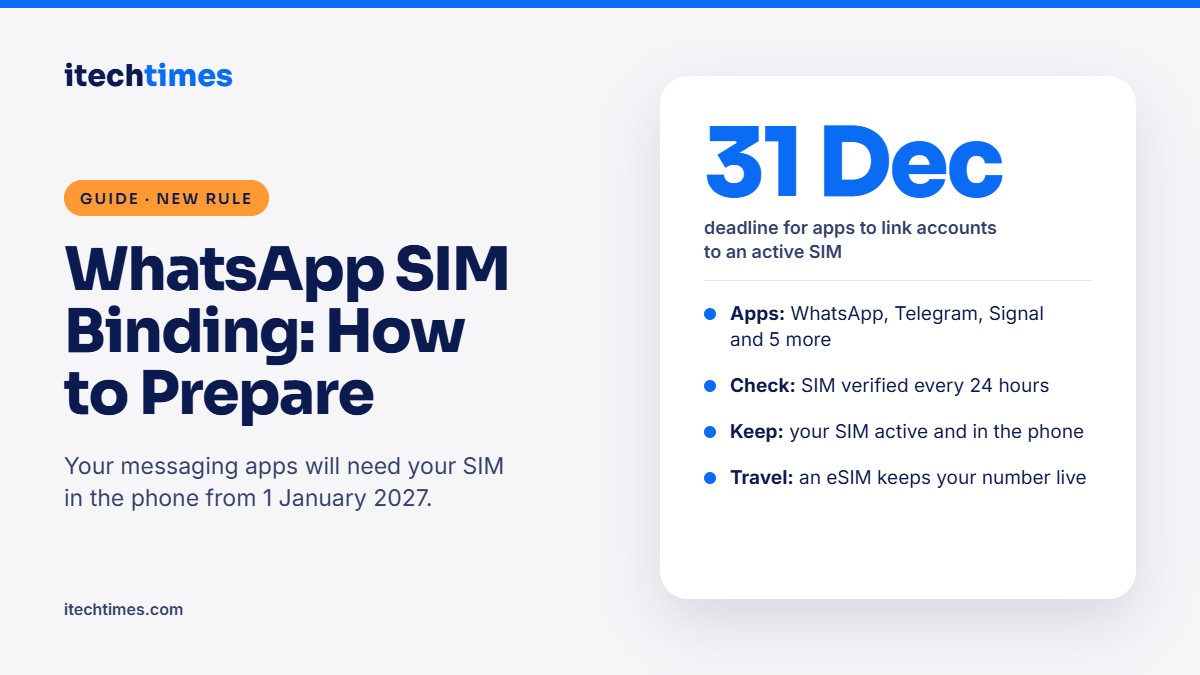
From 1 January 2027, WhatsApp, Telegram and other messaging apps in India will only work while your registered SIM is in your phone. Here is what the SIM binding rule means and the steps to take now so your account is not locked.
Last updated: 17 November 2026
Key takeaways
- The Department of Telecommunications (DoT) has ordered messaging apps to stay continuously linked to the SIM card in your phone.
- The compliance deadline is 31 December 2026, so the rule is expected to apply from 1 January 2027.
- It covers WhatsApp, Telegram, Signal, Snapchat, Arattai, ShareChat, JioChat and Josh.
- Apps are expected to check for your SIM every 24 hours. If the SIM is missing or inactive, the app may stop working.
- The fix is simple: keep your SIM active and in the phone where you use the app, and use linked devices for tablets and laptops.
What is the WhatsApp SIM binding rule? It is a DoT direction that ties your messaging account to the active SIM card or eSIM of the mobile number you registered with. If that SIM is removed, replaced or deactivated, the app may stop working until the number is back on the device. The aim is to stop fraudsters from running WhatsApp accounts on Indian numbers without the SIM.
Why is the government bringing in SIM binding?
Today, WhatsApp only checks your number once, when you set up the app. Fraudsters exploit this by registering accounts on Indian numbers and then using them from other devices or even other countries after the SIM is gone. DoT says the rule plugs this gap and helps curb cyber fraud and misuse of Indian mobile numbers.
| Detail | What we know |
|---|---|
| Issued by | Department of Telecommunications (DoT) |
| Original directions | 28 November 2025, under the Telecom Cyber Security Rules |
| Apps covered | WhatsApp, Telegram, Signal, Snapchat, Arattai, ShareChat, JioChat, Josh |
| Original deadline | 90 days, later extended |
| New deadline | 31 December 2026 |
| How often apps check | Every 24 hours, as per a DoT clarification reported in November 2026 |
| Web and desktop logout | The early six-hour logout rule was dropped in April 2026; risky sessions may still be logged out |
How will it affect you?
- One phone, SIM inside: almost nothing changes. You may see a one-time prompt asking the app for phone permission so it can check your SIM.
- WhatsApp on a second phone without the SIM: the app may stop working on that phone.
- Tablets and Wi-Fi-only devices: they face the same issue if you registered WhatsApp directly on them.
- SIM not recharged or deactivated: if your number is suspended for non-payment, your messaging account could stop working too.
- Travelling abroad: if you remove your Indian SIM for a local one, the app may lock. An eSIM for your Indian number avoids this.
WhatsApp is already testing SIM verification on Android. It has not yet said how the check will work on iPhones or how linked devices will be handled, so expect more details before the deadline.
How to prepare for SIM binding: step by step
- Check which number your WhatsApp uses. Open WhatsApp, tap your profile and confirm the number. It must be the SIM that stays in your phone.
- Keep that SIM in the same phone where you use WhatsApp, Telegram and other covered apps.
- Keep the SIM active. Recharge on time, especially secondary numbers you rarely use. An inactive SIM could lock your account.
- Move a rarely used number to your main phone if your WhatsApp runs on a number that sits in an old phone or a drawer.
- Use linked devices for other screens. On WhatsApp, go to Settings, then Linked devices, and link your tablet or laptop from your main phone instead of registering separately.
- Consider an eSIM if you travel often. Converting your Indian number to an eSIM lets you keep it active alongside a local SIM abroad.
- Back up your chats. Turn on chat backup to Google Drive or iCloud so nothing is lost if you need to re-verify.
- Check SIMs issued in your name. Use the Sanchar Saathi portal to see every mobile connection registered to your ID and report any you do not recognise.
What about dual SIM phones?
Official guidance has not covered dual SIM phones in detail. The safe approach is to keep the SIM linked to your WhatsApp number active in one of the slots of the phone where you use the app.
Frequently asked questions
When does the SIM binding rule start?
Apps must comply by 31 December 2026, so the rule is expected to take effect from 1 January 2027.
Will WhatsApp stop working if I remove my SIM?
Once apps implement the rule, yes, it may. Apps are expected to check for the SIM every 24 hours and can lock the account until the number is back on the device.
Does SIM binding apply to eSIMs?
Yes. An active eSIM for your registered number counts the same as a physical SIM.
Will WhatsApp Web still work?
Yes. The early plan to log out WhatsApp Web every six hours was dropped in April 2026. Sessions that look risky may still be logged out.
Which apps are covered?
DoT named WhatsApp, Telegram, Signal, Snapchat, Arattai, ShareChat, JioChat and Josh. Snapchat’s status is unclear because users can sign up with an email address.
What if I live abroad but use an Indian WhatsApp number?
Keep the Indian SIM active in your phone, ideally as an eSIM alongside your local SIM. Watch for official guidance for NRIs before the deadline.
Sources
- DoT mandates SIM-binding for messaging apps to curb digital fraud, All India Radio News
- DoT clarifies 24-hour SIM binding checks for apps, MediaNama
- What is SIM binding? Rules and how it works, Beebom
- WhatsApp SIM binding rules explained, Digit
- Messaging apps given till December 31 to link accounts to active SIMs, BestMediaInfo
- Sanchar Saathi, Department of Telecommunications